

Latest Version
SKJM, LLC
Entertainment
iOS
$4.99
296273730
Report a Problem
More About iCam - Webcam Video Streaming
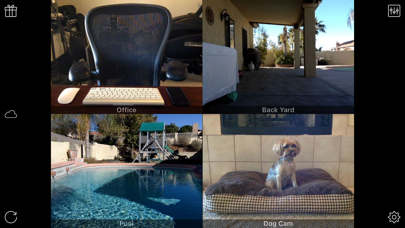
Imagine being able to keep a watchful eye on your home, your sleeping baby, or your playful pets from anywhere in the world. With iCam - Webcam Video Streaming, this level of convenience is fully integrated into your iOS device. Developed by SKJM, LLC, this utility bridges the gap between your desktop webcams and your mobile screen, delivering dependable live video and audio feeds directly to your pocket over cellular networks or local Wi-Fi.
What is iCam - Webcam Video Streaming?
At its core, iCam - Webcam Video Streaming is an entertainment and utility application designed to stream live audio and video feeds from a computer-connected camera to an iPhone, iPad, or iPod touch. By pairing the mobile app with free companion software installed on a desktop computer, users establish a private, real-time monitoring link. It acts as a versatile DIY surveillance tool without the premium price tag of dedicated security hardware.
Key Features and Capabilities
- Multi-Source Monitoring: View multiple live video and audio feeds simultaneously, allowing you to monitor different rooms or angles at once.
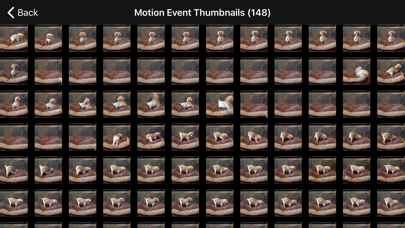
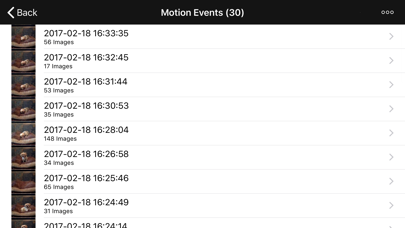
- Smart Motion Detection: Receive instant push notifications on your iOS device the moment motion is detected by your camera sources.
- Cloud Backup Support: Back up motion events automatically with the optional iCam Cloud service, ensuring your recorded clips are safe even if your physical computer is stolen or goes offline.
- Cross-Platform Desktop Support: The required desktop companion software, iCamSource, runs smoothly on modern Windows and macOS systems.
- Web-Based Access: Log into your feeds from almost any modern, Java-enabled web browser using the iCamWeb portal.
Who Is This App For?
This streaming solution is ideal for anyone seeking an affordable, customizable monitoring setup. It serves perfectly as a baby monitor, a dedicated pet cam, a discreet nanny cam, or a basic home security camera. Because it utilizes your existing computer webcams, setup is straightforward, making it highly accessible for everyday users who want peace of mind while away from home.
Getting Started
To begin using iCam - Webcam Video Streaming, you will need to download the free iCamSource helper software on your Windows PC or Mac, or purchase the mobile transmitter alternative. Once your cameras are configured on your computer, simply enter your credentials in the iOS app to view your secure, live streams on the go.
To explore this setup further or to purchase the application, please visit the official App Store page via the Apple App Store.
Rate the App
User Reviews















Popular Apps










Editor's Choice